
Altrady is our first recommendation for crypto traders looking for a TradingView alternative. It combines charting, custom indicators, Pine Script conversion, strategy building, historical backtesting and order-flow analysis, with multi-exchange trading in the same ecosystem. For brokers and product teams, Altrady also offers embeddable charts. Below, we compare it with Vela, GoCharting, TakeProfit and TrendSpider so you can assess the differences.
Altrady publishes this comparison, so weigh our entry accordingly and check every price yourself. Research date 17 October 2026, based on official product pages and documentation. We did not run hands-on tests of the competing platforms.
Key Takeaways
- Altrady is our pick for crypto traders. Charting with its own drawing tools and custom indicators, order flow inside the candle, strategy building with automated historical backtesting on every plan, and live trading across 19+ connected exchanges, in one ecosystem.
- Decide which job you are replacing. TradingView bundles charting, scripting, alerts and broker-connected trading. Replacing one of those is a different shortlist from replacing all four.
- Pine Script moves in two different ways. Altrady converts Pine v5 and v6 into its own scripting language through Coinray Scripts, and TakeProfit converts Pine to Indie. Vela takes the other approach and runs Pine through a compatibility runtime. Conversion and a runtime are not the same thing, and neither is promised to reproduce the original exactly, so validate whichever route you take.
- Analysis and real orders in one place is rare. Altrady trades on 19+ crypto exchanges, non-custodially and without withdrawal permissions. Vela's in-app trading is a paper account that never reaches a broker.
- Free charting is available, with limits. Altrady Charts is free to use with limits; Vela and GoCharting publish exact free allowances you can check before committing.
What a TradingView Alternative Actually Is
People use "TradingView" to mean at least three different products, and the replacement you need depends on which one you mean.
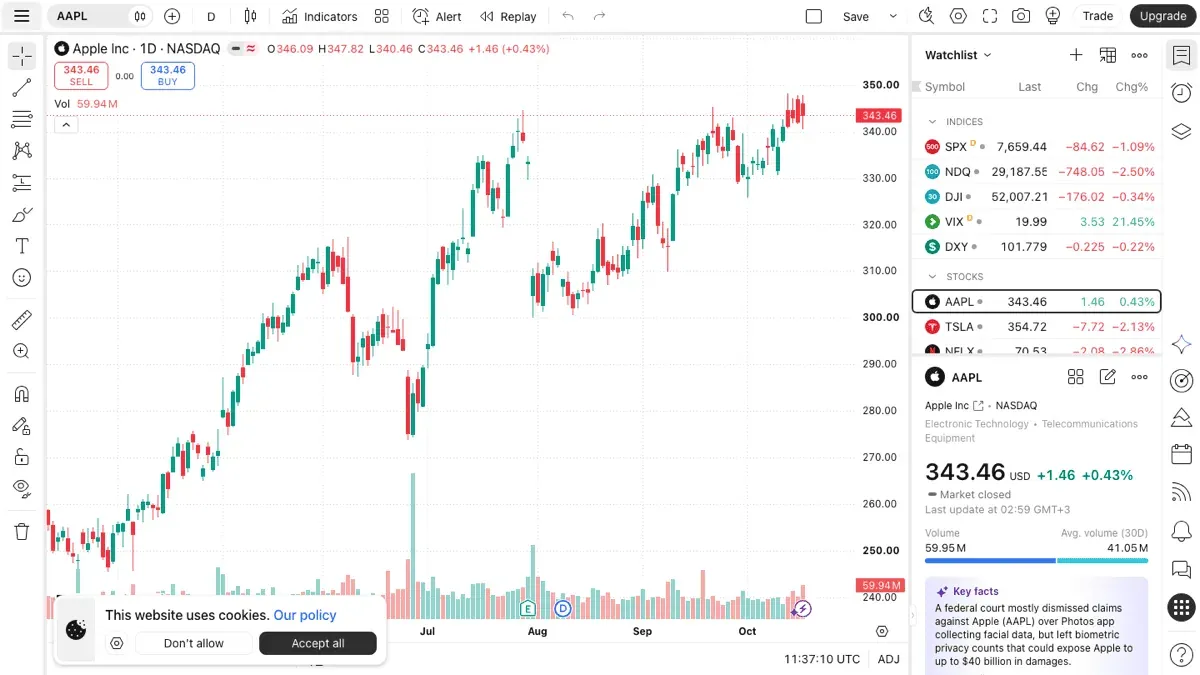
Trader-facing charting platforms give you charts, drawing tools, indicators, alerts and usually some scripting. This is what most people mean. Altrady Charts sits here, alongside Vela, GoCharting, TakeProfit and TrendSpider.
Trading terminals put execution first, so the analysis and the order ticket live in one workspace across connected accounts. Altrady spans both categories: Altrady Charts is a charting platform you can use on its own, and the wider Altrady platform adds multi-exchange trading around it. That overlap is the reason it leads this list.
Embeddable charting is for teams putting charts inside their own product. Brokers, exchanges and fintech teams buy this rather than a trader subscription, so the economics are different and it gets its own section at the end. Altrady offers embeddable charts, and LuxAlgo licenses a developer library.
One more distinction worth making early: replacing your charts, your scripts, your alerts and your execution are four separate jobs. You may only need one of them, and TradingView itself remains a reasonable answer for the others. TradingView does support trading through integrated brokers, so "TradingView cannot execute" is not a reason to switch.
How We Compared These TradingView Alternatives
Research date: 17 October 2026. Every finding below is documentation based: official product pages, pricing pages and public documentation, read on that date. We did not run hands-on tests of the competing platforms, and nothing here is presented as a hands-on review.
We compared on criteria you can check yourself:
- Supported markets and data availability, including whether market data costs extra.
- Charting and analytical tools, including order flow where offered.
- Custom scripting and Pine Script portability, separating running Pine directly, converting it, and not supporting it at all.
- Automated backtesting versus manual replay. These are different features and vendors often blur them.
- Alerts and trading connections, separating live orders from paper trading.
- Subscription price, data fees and meaningful plan limits, in the currency each vendor publishes, with the billing basis stated.
Where a vendor's page is silent, we record it as not stated rather than assuming the feature is missing, and where a vendor's own pages contradict each other, we say so. There is no overall score: every entry carries the same structure and the same limitations section.
The Best TradingView Alternatives in 2026
1. Altrady: best for crypto charting, strategy research and connected trading
Altrady Charts is a full charting platform, and it sits inside a wider ecosystem that adds strategy research and multi-exchange trading. That is why it leads this list: the chart, the backtest and the order ticket are the same product rather than three subscriptions. Altrady is not an exchange, it is non-custodial, and exchange API keys are connected without withdrawal permissions.
Charting and analysis. Altrady Charts is a full charting environment with its own drawing tools, built-in indicators and market structure views. The product page states 112 built-in indicators, each a readable script rather than a closed box.
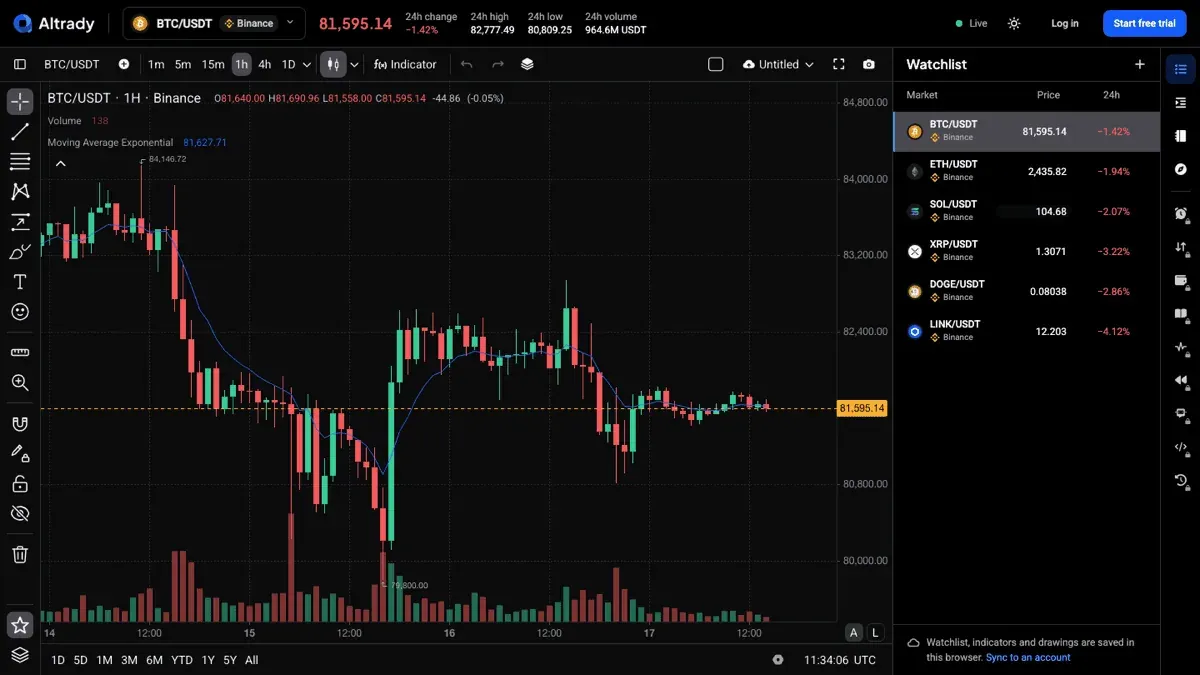
Drawing tools and navigation. Drawing tools open through the Flywheel, a radial menu that appears where the pointer already is, so reaching for a trend line, a Fibonacci retracement or a rectangle does not mean travelling to a toolbar at the edge of the screen. Presets you save sit in the same ring.
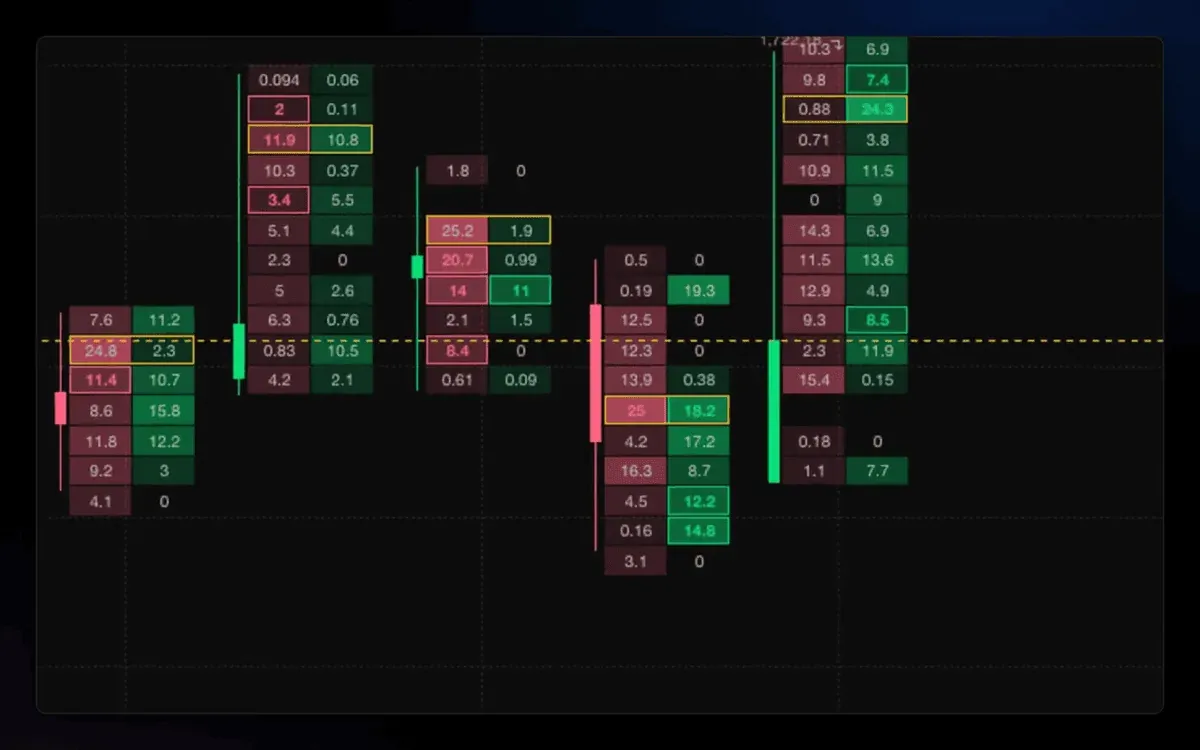
Order flow. Altrady Charts includes footprint charts showing bid and ask volume at every price inside each candle, with imbalances highlighted and the point of control marked. This is the order-flow detail that a standard candle hides.
Custom indicators and scripting. Indicators and strategies are written in TypeScript. Pine Script does not run natively. Coinray Scripts converts pasted Pine v5 or v6 into Altrady's scripting language, and the product page states that every conversion note is attached to the line it affects, so you can see what the conversion changed. How much of a given script converts cleanly depends on the script, so validate each one against the original.
Strategy building and automated research. You build a strategy in the Script Editor and run it against historical data automatically, on every plan rather than only the top tier. Backtesting covers crypto spot and crypto derivatives on supported exchanges, so a rule set can be measured across many markets instead of judged by eye on one chart. It does not cover traditional exchange-traded futures such as CME contracts, and it does not cover forex. Manual chart replay is a separate feature with its own limits.
Marketplace. Indicators and strategies are also shared through a marketplace, so the library you can draw on is not limited to what you write yourself.
Migration. Saved TradingView chart layouts import as Altrady Charts layouts with drawings included.
Trading connections. 19+ connected crypto exchanges, including Binance, Coinbase, Kraken, KuCoin, Bybit, OKX, Bitget, MEXC, Gate.io and Hyperliquid. Automation is split by trigger: the TradingView Bot acts on alerts you set up in TradingView, the Signal Bot acts on signals from supported providers, and the Webhook Bot acts on compatible webhook instructions from your own system. Grid Bot runs on spot markets only.
Where each capability lives. Altrady Charts is the standalone charting site, free to use with limits. Multi-exchange trading, bots and portfolio tracking belong to the wider Altrady platform and need an Altrady account, on the plans listed below. Embedding charts in your own product is a separate commercial arrangement, covered further down. Worth checking which side of those lines a feature sits on before you plan around it.
Main strengths. Charting, order flow, strategy research and live execution in one workspace across many exchanges; readable built-in indicators plus a marketplace; automated historical backtesting on every plan; a documented Pine conversion path; and the same charting available to embed in your own product.
Material limitations. Crypto only. No equities, no forex, no traditional futures. No large public library of community scripts. If charting breadth across asset classes is what you want, this is the wrong tool and TradingView, Vela or TrendSpider will serve you better.
Free charting. Altrady Charts can be used free of charge, with limits. The specific allowances are not published, so check them against the work you actually do before relying on the free tier.
Plan and price. Basic EUR 28 a month, Essential EUR 50 a month, Premium EUR 90 a month, monthly billing, checked 12 October 2026. Annual billing is cheaper. A 5-day free trial with no credit card required, after which the account reverts to a free tier rather than being charged. A 30-day money-back guarantee is published on the pricing page.
Best suited for: active crypto traders running several exchange accounts who want the chart and the order ticket in the same place.
2. Vela by LuxAlgo: best for running your existing Pine Script
Vela is LuxAlgo's browser charting platform. It is the one alternative here that runs Pine Script itself rather than converting it, and it covers more asset classes than any other platform on this list. What it does not do is place real orders.
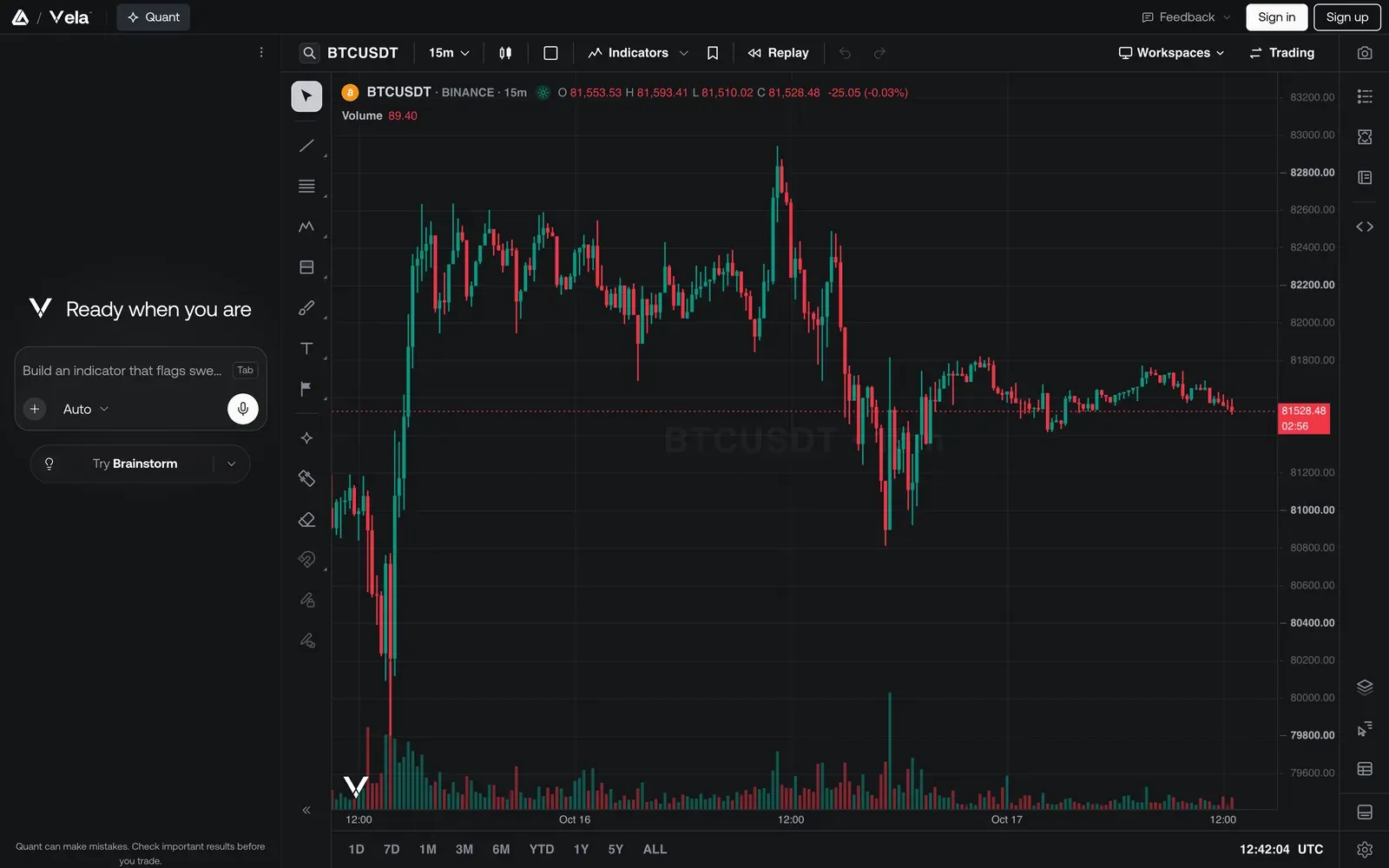
Charting and analysis. Candles, bars, line, area, baseline and Heikin Ashi, with footprint and TPO as full chart types, plus volume profiles, CVD, delta and open interest. The documentation lists 66 drawing tools across seven groups, custom intervals typed freely such as 22m or 2D, and layouts up to 16 charts per tab on every plan including Free. The indicator library is advertised as 800+ tools; the pricing page restricts Free to free indicators only, which contradicts the Library page's claim that every indicator opens free on Vela, so confirm that one before relying on it.
Scripting and Pine portability. Pine Script v6 and v5 run on Vela through PineTS, LuxAlgo's open-source runtime, which the company describes as a runtime rather than a converter. You paste an existing script into a Pine editor inside the chart and press Run, write one from scratch, or have Quant, its coding agent, write it. Indicators and strategies both run, on every plan including Free, and running a script needs a free account. PineTS is documented as implementing 800+ Pine API functions, so coverage is broad rather than total, and LuxAlgo does not claim every script behaves identically.
Backtesting and replay. Both, and they are kept separate. Automated backtesting runs Pine strategies over chart history and reports net profit, trades, win rate, maximum drawdown and profit factor, with configurable initial capital, order size, commission and slippage, and Monte Carlo runs of 250, 1,000 or 2,500 simulations. It consumes Quant credits. Replay Mode is the manual feature, stepping through history one candle at a time, free with a signed-in account.
Markets. Stocks, ETFs, crypto, futures, forex and commodities from a single LuxAlgo data feed, with crypto from Binance, Binance.US, Coinbase and Hyperliquid, US equities via Cboe EDGX and futures from CME. Live CME futures data with 16 years of history is included in paid plans. Order-flow tooling runs on crypto, US equities and CME futures, not on forex or commodities.
Trading connections. Paper only. The documentation is explicit that trading from the chart uses a 100,000 USD simulated account and that nothing is sent to a broker or an exchange. LuxAlgo publishes a separate open-source Broker SDK and a self-hosted alert router, but neither is a live-trading feature of the Vela app.
Plan and price. Free at 0 USD with no time limit, then Essential 24.99, Premium 39.99, Ultimate 59.99 and AI Ultra 119.99 USD a month, checked 17 October 2026. A sale was running when we checked, advertising up to 55% off annual billing, so the headline annual figures are promotional. There is no free trial; paid plans carry a 30-day money-back guarantee on the first payment.
Published plan limits. Historical bars run 5,000 on Free to 50,000 on AI Ultra. Saved workspaces run 10 to 200. Strategy alerts run 5 to 500, with webhook automation starting at Premium. Order-flow lookback runs from 1 day on Free to full history on AI Ultra. Symbols per watchlist are 10 on Free and 500 on every paid plan.
Material limitations. No live trading, which rules it out as a terminal replacement. Quant usage is metered in credits rather than unlimited. The pricing page and the Library page disagree about free indicator access. The separate developer library, covered at the end of this article, is a different product with different licensing, and a capability of one should not be assumed for the other.
Best suited for: traders who want to keep running their existing Pine Script, across more than one asset class, and who execute somewhere else.
3. GoCharting: best for order flow across Indian and US markets
GoCharting is a browser charting platform and terminal whose distinguishing feature is order flow, and the only one here with real-time Indian market data on its free tier.
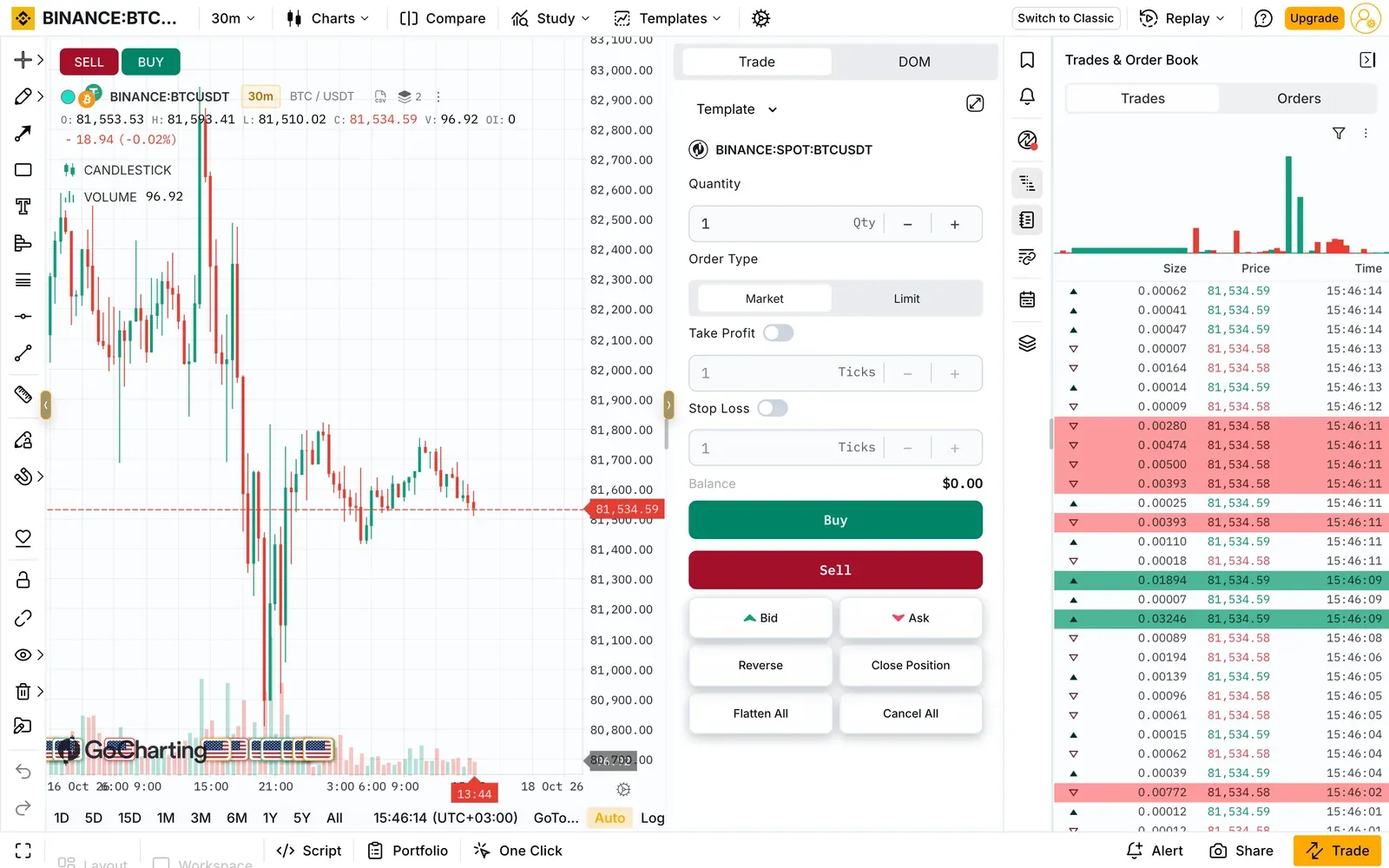
Charting and analysis. Premium includes Orderflow Charts with Footprint and Imbalance, order flow indicators, Time and Sales, and Depth of Market. Renko, Kagi, Line Break and Point and Figure chart types are available, though restricted to daily on the free tier.
Custom indicators and scripting. Custom indicators use the Lipi Script Engine, GoCharting's own scripting language, available on both plans. Pine Script support is not stated.
Backtesting and replay. Intraday Bar Replay is offered, with 9,000 bars on Free and 15,000 on Premium. Automated backtesting is not stated on the pricing page, so treat it as unverified rather than absent.
Markets. India (NSE, MCX, with real-time data on the India free tier), US (NASDAQ, NYSE, CME futures), crypto and forex or CFDs.
Trading connections. Both plans list trading through selected brokers and simulated paper trading. Chart trading, watchlist trading and basket orders are Premium only.
Material limitations. Prices are not published. The pricing page carries monthly and annual toggles and the note "Prices shown are indicative", with no amounts shown, so we cannot state a price. The page also contradicts itself on the free tier: the comparison table marks order flow charts unavailable on Free while the plan description says Free includes Market Profile and Footprint Charts. Resolve this with the vendor before relying on it.
Free tier limits, as published. 2 charts per tab, 1 device, 4 concurrent charts, 30 saved layouts, 9,000 historical bars, 5 watchlists of 100 symbols, and no price or delta alerts.
Best suited for: traders who want footprint and order-flow tooling, and Indian market traders, who get real-time NSE and MCX data on the free tier.
4. TakeProfit: best low-cost platform with Python-style scripting
TakeProfit is a browser-based charting platform and trading terminal built out of composable widgets, with its own scripting language and an unusually simple price.
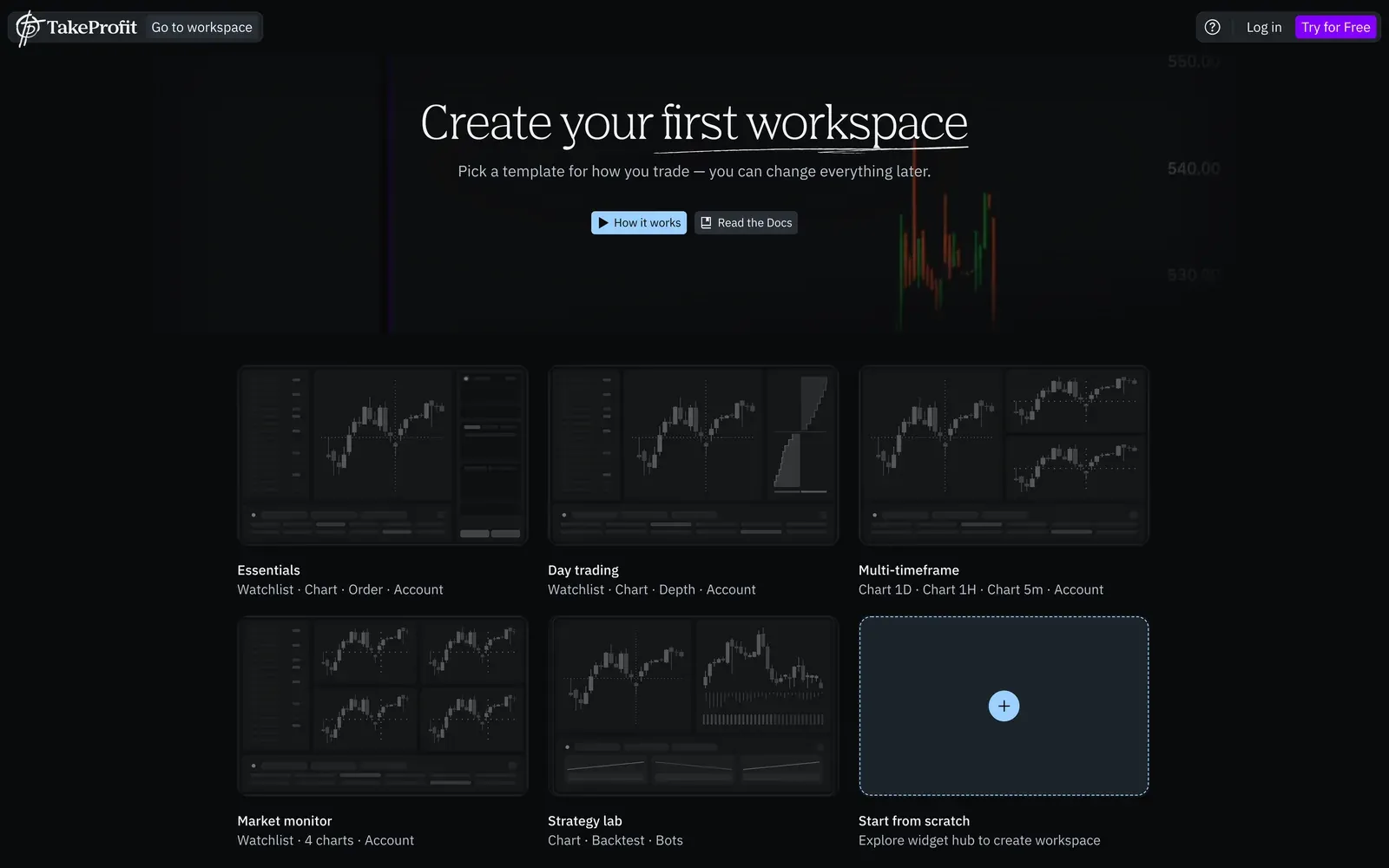
Charting and analysis. Charting, custom timeframes, unlimited workspaces and cloud alerts, with 400 non-expiring cloud alerts on the paid plan. Workspaces are assembled from widgets such as chart, watchlist, order, depth and backtest panels.
Custom indicators and scripting. Indie, a Python-based scripting language for custom indicators and strategies, with a marketplace for publishing them. The product page states that Pine scripts can be converted to Indie.
Backtesting and replay. Backtesting is included in the paid plan and appears as a workspace widget. Whether it is automated strategy backtesting or a different feature is not stated in detail, and chart replay is not stated. Treat both as unverified.
Markets. Over 5,000 instruments, with market data drawn from 70+ crypto exchanges. Coverage of other asset classes is not stated.
Trading connections. The trading page describes placing orders from the chart, dragging levels to set entry, stop loss and take profit, live margin and equity monitoring, exchange connections that earn up to 50% fee cashback, and alerts automated into live trades through webhooks. Note the contradiction: the site's own navigation labels Chart Trading, Algo Trading and DOM Trading as "SOON" while the trading page presents chart-native execution as available. Confirm what is live before you depend on it.
Plan and price. All-In at 20 USD a month, or 120 USD a year, checked 17 October 2026. A permanent free tier called Freeroll offers core charting, though its exact limits are not stated. New accounts get a 30-day trial of All-In.
Material limitations. Thin public documentation on backtesting and replay, contradictory signals about which trading features have shipped, and no public pricing page at the time of checking. Asset coverage beyond crypto is unclear.
Best suited for: traders who want cheap, capable charting with real scripting, and who are comfortable verifying the gaps themselves.
5. TrendSpider: best for automated analysis on stocks and futures
TrendSpider automates chart analysis rather than only drawing it for you, and it is the platform most often named in this category outside crypto.
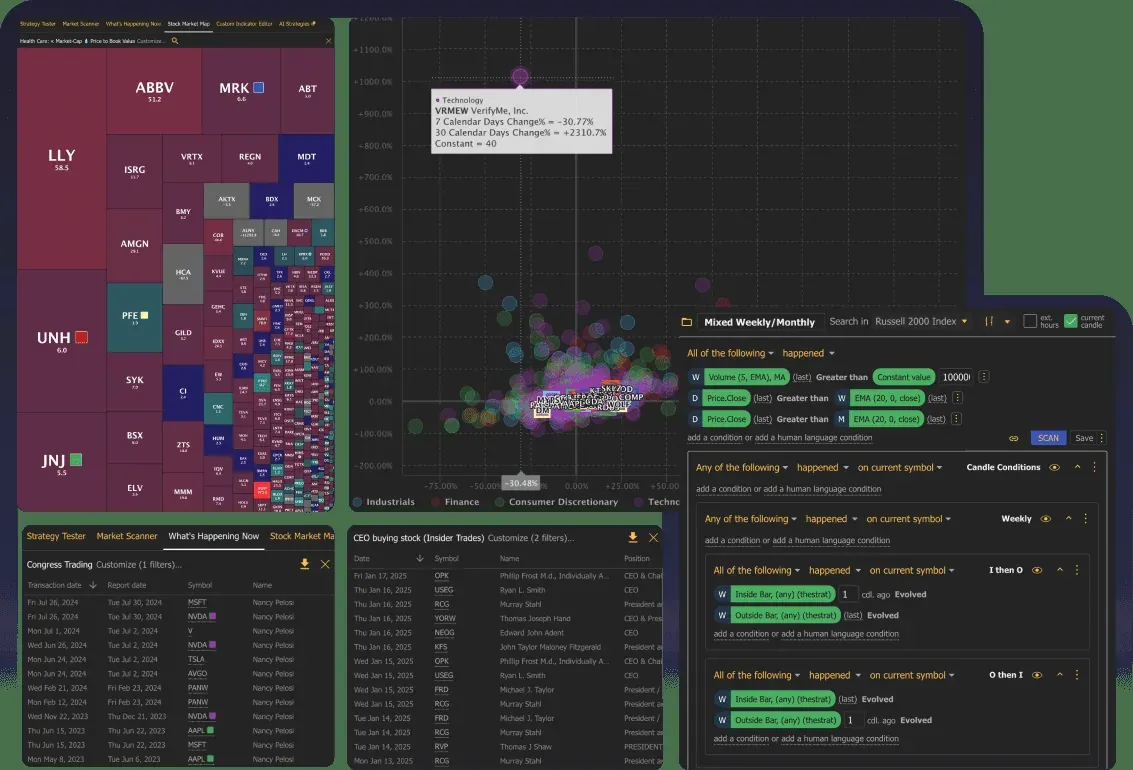
Charting and analysis. Automated trendline detection, multi-timeframe analysis and scanning, with an AI coding assistant that generates indicators from a prompt.
Custom indicators and scripting. JavaScript custom indicators, plus a no-code visual scripting builder. Pine Script is not offered, and no conversion path is documented.
Backtesting and replay. Strong on automated backtesting: the pricing page lists Backtesting, Multi-symbol Backtesting, Variance Testing, Forward Testing and AI-Powered Backtesting. Manual chart replay is not mentioned, so treat it as unverified.
Markets. US equities and ETFs, CME, NYMEX, COMEX and CBOT futures, global forex, global crypto, and OPRA options.
Trading connections. The FAQ states connections to 30+ brokerages and crypto exchanges through a Trading widget, which requires a free SignalStack account, with 5 free automated orders per month included.
Plan and price. Plans are Standard, Premium, Enhanced, Advanced and Business. Promotional pricing was running when we checked on 17 October 2026, advertising "up to 40% off" for the first 12 months, with Standard shown at 49.68 USD a month against a stated regular 82 USD, and Advanced at 128.40 USD a month against a regular 321 USD. Business is listed from 399 USD a month. The page does not state which figures are monthly billing and which are annual-billing equivalents, so treat the headline numbers with care.
Market data costs extra, and this materially changes the total: an extra 29 USD a month for professional US equities use, 7.50 USD a month for CME futures non-professional, and 9.50 USD a month for OPRA options.
Material limitations. No Pine Script and no documented conversion. Pricing presentation is hard to pin down, and data fees sit on top. Crypto is covered but it is not a crypto-first product.
Best suited for: stock, futures and options traders who want analysis and backtesting automated.
Side-by-Side Comparison
Scroll the table sideways to see every platform. "Not stated" means the vendor's public pages do not say, not that the feature is absent.
| Criterion | Altrady | Vela by LuxAlgo | GoCharting | TakeProfit | TrendSpider | TradingView |
|---|---|---|---|---|---|---|
| Best fit | Crypto charting, strategy research and live execution | Running existing Pine Script, multi-asset | Order flow, India and US markets | Low-cost scripting platform | Automated analysis, stocks and futures | Broad multi-asset charting |
| Type | Charting platform plus a multi-exchange trading platform | Charting platform, plus a separate developer library | Charting platform and terminal | Charting platform and terminal | Charting platform | Charting platform |
| Market coverage | Crypto spot and crypto derivatives, 19+ exchanges | Stocks, ETFs, crypto, futures, forex, commodities | India NSE and MCX, US equities, CME futures, crypto, forex and CFDs | 5,000+ instruments, data from 70+ crypto exchanges, other classes not stated | US equities, futures, forex, crypto, options | Multi-asset |
| Custom scripting | TypeScript | Pine Script, in an in-app editor | Lipi Script Engine | Indie, Python-based | JavaScript, plus visual builder | Pine Script |
| Pine portability | Conversion, Pine v5 and v6 to TypeScript | Runs Pine v5 and v6 through PineTS, 800+ API functions implemented | Not stated | Conversion to Indie | Not supported, no conversion documented | Native |
| Automated backtesting | Yes, across all plans | Yes, Pine strategies, with Monte Carlo, metered in credits | Not stated | Included in All-In, detail not stated | Yes, extensive | Yes, strategy tester |
| Manual replay | Separate feature, own limits | Yes, Replay Mode, free with an account | Yes, intraday bar replay, 9k free and 15k Premium | Not stated | Not mentioned | Yes, bar replay |
| Order-flow tools | Footprint, bid and ask volume inside the candle, imbalances | Footprint and TPO chart types, volume profile, CVD, delta; crypto, US equities, CME only | Footprint, imbalance, DOM, Time and Sales, Premium | Depth widget available; DOM Trading labelled "SOON" | Not stated | Varies by plan |
| Live trading | Yes, 19+ crypto exchanges, non-custodial, no withdrawal permissions | No. Paper trading only, nothing reaches a broker | Selected brokers, plus paper trading | Stated on the trading page, contradicted by "SOON" labels in the site navigation | 30+ brokers and exchanges via SignalStack, free account required | Integrated brokers |
| Free access | Free charting with limits, limits not published. Paid plans add a 5-day trial, no card | Free plan, no time limit: 5,000 bars, 10 workspaces, 5 strategy alerts, 10 symbols per watchlist | Free Forever: 2 charts per tab, 9k bars, no alerts | Freeroll free tier, limits not stated, 30-day All-In trial | 1 USD for 14 days | Free tier available |
| Named plan and billing | Basic EUR 28, Essential EUR 50, Premium EUR 90, monthly | Essential 24.99, Premium 39.99, Ultimate 59.99, AI Ultra 119.99 USD a month | Not published | All-In 20 USD a month or 120 USD a year | Promotional, Standard 49.68 USD a month against regular 82 USD, billing basis not stated | Premium EUR 69.95 a month |
| Embeddable in your own product | Yes, contact Altrady for scope and terms | Yes, through the separate Vela developer library, licensed per developer or per company | Not stated | Not stated | Not stated | Charting library sold separately |
| Extra data fees | None stated | None stated, CME data included in paid plans | Not stated | Not stated | Yes: 29 USD pro equities, 7.50 USD CME futures, 9.50 USD OPRA | Varies by exchange |
Which TradingView Alternative Fits Your Workflow?
| If your priority is | Consider | The trade-off |
|---|---|---|
| Crypto trading and execution | Altrady | You give up equities, forex and traditional futures entirely. Vela charts those markets but cannot place a real order |
| Keeping Pine Script as written | Vela, or stay on TradingView | Vela runs Pine v5 and v6 through PineTS rather than converting it, with 800+ API functions implemented, so coverage is broad but not promised to be complete |
| Custom indicators and scripting | Altrady, then TakeProfit or Vela | Altrady writes indicators and strategies in TypeScript, converts Pine through Coinray Scripts, and adds a marketplace, so you are not starting from an empty editor. TakeProfit uses Python-style Indie. Vela keeps Pine itself but cannot place a real order |
| Order-flow analysis | Altrady, then Vela or GoCharting | Altrady shows bid and ask volume inside each candle with imbalances marked, in a workspace you can trade from directly. Vela adds TPO and profiles across crypto, US equities and CME, with lookback tied to your plan. GoCharting goes wide on order-flow tooling but keeps it on Premium, which has no published price |
| Automated analysis and strategy research | Altrady, then Vela or TrendSpider | Altrady runs automated historical backtests of your own strategies across crypto markets on every plan, with no credit metering. Vela backtests Pine strategies with Monte Carlo but meters it in credits. TrendSpider covers more asset classes but adds data fees and has no Pine path |
| Free charting | Altrady, then Vela, GoCharting or TakeProfit | Altrady Charts is free to use with limits, and the same workspace scales into the paid platform if you later want execution. Vela and GoCharting publish their exact free allowances, which Altrady and TakeProfit do not |
| Embedding charts in your own product | Altrady, then Vela | Altrady offers embeddable charts carrying the same charting, drawing, indicator and order-flow work described above; contact us to discuss scope and terms. LuxAlgo licenses a developer library with published tiers. Both are engineering projects, separate from the trader plans |
How to Test a TradingView Alternative Before You Switch
A proposed evaluation workflow, not a test we have run for you. Work through it with your own setup and you will know within an afternoon.
- Check your symbols and data feeds. List the markets you actually trade and confirm each one is available, at the resolution you use. Note whether real-time data costs extra.
- Recreate one familiar chart. Same symbol, same timeframe, same indicators, same drawings. If this is painful, daily use will be worse.
- Move one script you have the right to move. Use your own code, not someone else's. Run it where Pine runs directly, convert it where it does not, and read every conversion note.
- Compare the calculations. Put the original and the moved indicator on the same bars and check the values match. Where they do not, find out why before you trust it.
- Check the backtest assumptions. Fill timing, fees, slippage and position sizing. Two platforms can report very different results from the same rules.
- Rebuild one alert and confirm it fires when you expect.
- Verify execution, and whether it is real. Can it reach your broker or exchange at all, or is the in-app trading a paper account? Then check what permissions it asks for: trading software should not need withdrawal rights.
- Add up the real cost. Subscription plus data fees plus anything behind a higher tier, on the billing basis you will actually pay.
For Brokers and Developers: Embeddable Charting Libraries
A separate purchase with separate economics. If you are building a trading product rather than trading on one, you are shopping for charting you can ship inside your own application, and the subscription prices above do not apply.
Altrady Charts: Embeddable Charting for Your Product
Altrady offers embeddable charts for teams building their own trading products. Brokers, exchanges and product teams can discuss their charting requirements, integration scope and commercial terms directly with Altrady.
What you are embedding is the charting work described earlier in this article rather than a separate, thinner product: the drawing tools and the Flywheel that opens them at the pointer, the built-in indicator set, custom indicators and strategies written in TypeScript, Pine conversion through Coinray Scripts, and order flow showing bid and ask volume inside each candle with imbalances marked.
Worth being clear about the boundary. The embedding offering is the charting layer. Multi-exchange trading, bots and portfolio tracking belong to the Altrady application and are not part of what you put inside your own product. Which parts of the charting layer fit your application, and on what terms, is a conversation rather than a price list.
Next step: contact Altrady to discuss requirements, integration scope and commercial terms.
The Vela Developer Library
LuxAlgo publishes the open-source core of Vela as a separate charting library, which is the alternative to evaluate if you want to own the rendering layer yourself. It installs from npm and ships a headless chart core, a workspace, a UI kit, a plugin SDK and data providers for Binance, Coinbase and Hyperliquid, and the plugin SDK lets you register chart types, renderer layers and native indicators.
The core is Apache-2.0 and free, including for closed-source commercial products. Paid tiers add a commercial PineTS licence, remove attribution and add distribution rights: Developer at 1,199 USD per developer per year for companies under 500k USD trailing revenue, Business at 20,000 USD per year flat for unlimited developers with white-label and OEM rights, and an unpublished Enterprise tier. The Pine addon is licensed separately under AGPL-3.0, which is a different arrangement from Pine Script simply running inside the Vela app.
Nothing in this section should be assumed to work the same way in the trader-facing products above, or the other way round.
Frequently Asked Questions
What is the best free TradingView alternative?
Altrady Charts is available free of charge with limits, and it is the one we would start with for crypto: the same workspace, drawing tools and indicators carry over if you later move to a paid plan for execution. The specific free allowances are not published, so check them against the work you actually do. If being able to read the limits before you commit matters more, Vela's free plan publishes its own (5,000 historical bars, 10 saved workspaces, 5 strategy alerts, 10 symbols per watchlist) and GoCharting publishes its (2 charts per tab, 9,000 historical bars, no alerts). TakeProfit's Freeroll tier is free with limits that are not stated.
Can I move my Pine Script to another platform?
Yes, by two different routes. Altrady converts Pine v5 and v6 into its own TypeScript scripting through Coinray Scripts, attaching a note to each line it changed, so you can see exactly what the conversion did and carry the logic into a workspace that also backtests and trades it. TakeProfit converts Pine to its Indie language in the same spirit. Vela takes the other route and runs Pine itself through PineTS, a compatibility runtime with 800+ Pine API functions implemented, so no conversion step is involved. Converting and running are different approaches and neither is promised to reproduce the original exactly, so compare the output against the original before relying on it. Scripts written by other people stay where they are unless you hold the source and the rights.
Does TradingView let you place trades?
Yes. TradingView supports trading through integrated brokers, so execution on its own is not a reason to leave. The reasons people do leave are usually cost, a specific missing tool such as order flow, or wanting execution on venues TradingView does not integrate with.
Which alternative covers crypto best?
Altrady, because it is crypto-only by design: charting, order flow and strategy backtesting are built for crypto spot and derivatives, and the same workspace trades them across 19+ connected exchanges through non-custodial API connections. For charting breadth beyond crypto, TakeProfit draws market data from 70+ crypto exchanges and Vela covers crypto alongside five other asset classes. Check that your specific exchange and market type is supported before committing.
What is the difference between backtesting and replay?
Automated backtesting runs a script against historical data and reports results. Manual replay steps you through history so you can trade it by hand. They answer different questions, and vendors often present them as one thing. Altrady offers automated script backtesting across all plans, with manual replay as a separate feature. Vela offers both as well, with backtesting metered in credits and Replay Mode free with an account.
Do any of these cover stocks and forex as well as crypto?
Vela, TrendSpider and GoCharting do. Altrady does not: it covers crypto spot and crypto derivatives only, which is a deliberate limit rather than a gap we expect to close.
Is the cheapest plan always the real cost?
No. TrendSpider lists market data fees separately, including an extra 29 USD a month for professional US equities use and 7.50 USD a month for CME futures. Vela meters Quant and backtesting in monthly credits, so heavy use pushes you up a tier. Promotional rates may also apply only to the first year. Add data fees and read the billing basis before comparing.
Can I put one of these charts inside my own product?
Yes. Altrady offers embeddable charts for brokers, exchanges and product teams, carrying the charting, drawing, indicator, scripting and order-flow capabilities described above; contact Altrady for embedding options and commercial terms. The alternative is LuxAlgo's Vela developer library, which publishes licence tiers from a free Apache-2.0 core upward. Both are developer purchases, priced differently from a trader subscription and separate from the apps reviewed above.
Can I replace TradingView entirely with one tool?
Only if you need one of its jobs rather than all four. No single product here matches TradingView's combination of multi-asset charting, a large public script library, alerts and broker-connected trading. Most people replace the part that is costing them something: the charting, the scripting, the order flow, or the execution.
How long does switching take?
Budget an afternoon to answer the question and longer to move fully. Charts and watchlists are quick to rebuild, alerts have to be recreated one by one, and scripts need moving and then checking against the original.
Try Altrady Charts
Explore Altrady's charting workspace, indicators and drawing tools.